Last Updated - September 27, 2025 08:11 am IST | Dhiraj Singh
The OPPO K13 Turbo Pro is marketed as a gaming-focused device with a bold design, 120 FPS support, and a massive 7000mAh battery. Powered by the Snapdragon 8s Gen4, it promises high-performance gaming at under ₹40,000. But does it really deliver a smooth 120 FPS experience, or is it just hype?
We tested the device extensively in real-world gaming scenarios to provide a complete picture of its performance, thermals, and battery life. Let’s Begin OPPO K13 Turbo Pro 120 FPS Gaming Test…
Table of Contents
OPPO K13 Turbo Pro: Full Specifications
| Feature | Specification |
|---|---|
| Processor | Snapdragon 8s Gen4 |
| GPU | Adreno 740 |
| Display | 6.67-inch AMOLED, 120Hz refresh rate |
| RAM/Storage | 8GB/128GB (varies by variant) |
| Battery | 7000mAh, Bypass Charging |
| Cooling | Internal dedicated fan |
| Gaming FPS Support | Up to 120 FPS |
| Price | Under ₹40000 |
Highlight: The device comes with a dedicated cooling fan – a rare feature in this price range.
Design & Build: Capturing the Gaming Vibe
From the moment you pick up the OPPO K13 Turbo Pro, it screams “gaming phone.”
- Vibrant colors and design language make it stand out.
- Cooling fan integration is noticeable yet discreet, helping thermal management without affecting the aesthetics.
- Display is bright, smooth, and supports 120Hz, perfect for fast-paced gaming.

OPPO K13 Turbo Pro
Real-World Gaming Performance
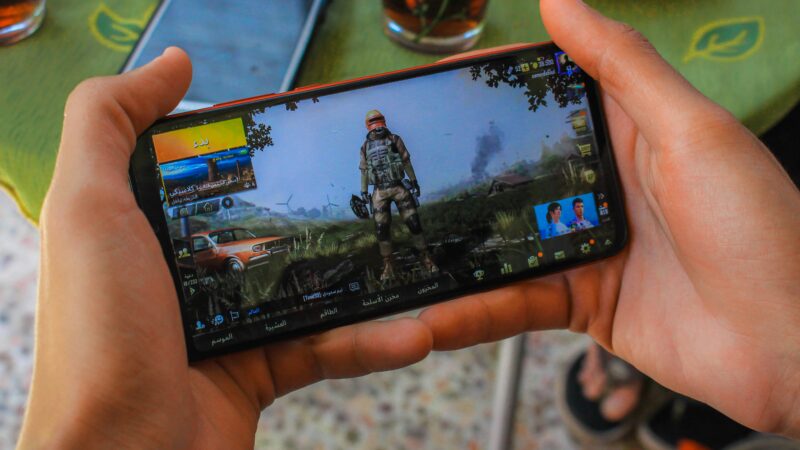
We tested BGMI with 120 FPS enabled and anti-aliasing turned off to check the phone’s real capabilities.
TDM Mode (Casual & Quick Matches)
- Average FPS: 110–115
- Peak FPS: 120
- Observations: Smooth gameplay, no stutters
- Battery Drain: ~2.5% per TDM match
Casual and semi-serious gamers can enjoy 110–120 FPS comfortably in TDM matches.
Erangel / Event Maps (High Enemy Count)
| Number of Enemies | Average FPS |
|---|---|
| 30+ | 90 FPS |
| 40+ | 70–75 FPS |
| Final Circles (25+) | 90–100 FPS |
- Observation: Snapdragon 8s Gen4 struggles to maintain 120 FPS in crowded areas.
- Recommended Setting: 90 FPS for heavy maps to avoid stutters.
Thermals: Does the Fan Really Work?
| Condition | Temperature |
|---|---|
| With Fan | 38–40°C |
| Without Fan | 44–45°C |
- The dedicated cooling fan works exceptionally well, keeping the device temperature stable even during extended gaming sessions.
- With the fan enabled, there’s no throttling, and FPS remains stable around 100–110 in heavy scenarios.
For hardcore gaming sessions, always enable the cooling fan.
Battery Life & Charging
- Battery: 7000mAh, massive for long sessions
- Gameplay Drain: 2–3% per TDM match, slightly higher in Erangel
- Charging: Supports bypass charging for uninterrupted gaming
- Verdict: Excellent for long gaming sessions and media consumption
OPPO K13 Turbo Pro vs Competitors
We compared the device with iQOO Neo 10 and Poco F7, two phones in a similar price range.
| Feature | OPPO K13 Turbo Pro | iQOO Neo 10 | Poco F7 |
|---|---|---|---|
| Processor | Snapdragon 8s Gen4 | Snapdragon 8s Gen4 | Snapdragon 8+ Gen1 |
| Cooling Fan | Yes | No | No |
| Max FPS in Heavy Load | 90–100 | 100–110 | 100 |
| Price | ₹39,999 | ₹32,000 | ₹33,000 |
| Design & Software | Stylish, Gaming UI | Standard | Standard |
| Battery | 7000mAh | 7000mAh | 7550mAh |
| Verdict | Good for casual 120 FPS | Better value, smoother FPS | Balanced performance, lower battery |
Takeaways:
- iQOO Neo 10 offers similar FPS at a lower price, but lacks a cooling fan.
- Poco F7 performs well and has a big battery and no fan.
- OPPO K13 Turbo Pro excels in design, software, and thermal management.
Camera & Multimedia
- Cameras are average, adequate for social media but not competitive photography.
- Display is bright, AMOLED, and smooth.
- Gaming UI and software experience are pleasant and optimized for gaming.
Pros & Cons
Pros:
- 120 FPS gaming for casual players
- Cooling fan is effective
- 7000mAh battery with bypass charging
- Stylish design and gaming-focused UI
Cons:
- Snapdragon 8s Gen4 struggles to maintain 120 FPS in heavy maps
- Slightly overpriced for the performance
- Cameras are average
Recommended Settings for Optimal Gaming
- TDM/Small Matches: 110–120 FPS
- Large Maps/Erangel: 90 FPS for stability
- Always enable cooling fan for best thermal control
Verdict: Should You Buy the OPPO K13 Turbo Pro?
The OPPO K13 Turbo Pro is a good choice for casual and semi-serious gamers, offering 90 FPS stability, a cooling fan, and massive battery life.
- Buy if: You value design, thermal management, and casual 120 FPS gaming.
- Skip if: You are a hardcore gamer seeking full 120 FPS stability — competitors like iQOO Neo 10 offer better value.
Honestly, pricing around ₹35,000 would make this phone a strong contender in this segment.
FAQs About OPPO K13 Turbo Pro Gaming
Q1. Can OPPO K13 Turbo Pro handle BGMI at 120 FPS?
Yes, in TDM and smaller maps. For heavy scenarios, 90 FPS is recommended.
Q2. Does the cooling fan improve performance?
Absolutely. It keeps temperatures under 40°C, preventing throttling.
Q3. How long does the battery last while gaming?
With 7000mAh, expect 2–3% drain per TDM match, slightly more for Erangel.
Q4. Is it worth buying under ₹40,000?
Yes for casual gamers; hardcore players should consider iQOO Neo 10.
Q5. How does it compare to iQOO Neo 10 and Poco F7?
iQOO Neo 10 is more value-oriented, Poco F7 balances performance and has a bigger battery.
Check iQOO Neo 10 Review:
Check Oppo K13 Turbo Pro in Oppo’s Site:







[…] OPPO K13 Turbo Pro – 120fps with RGB cooling setup. […]
[…] OPPO K13 Turbo Pro – The Coolest Gaming Machine (Literally) […]